Know what to do this week
Your plan gathers Scan 360° recommendations, suggests the next actions and clearly tracks what is next, followed, done or archived.
The Scan 360° tells you where you stand. The roadmap tells you what to do, in what order, with the time you actually have this week.
Analyse my business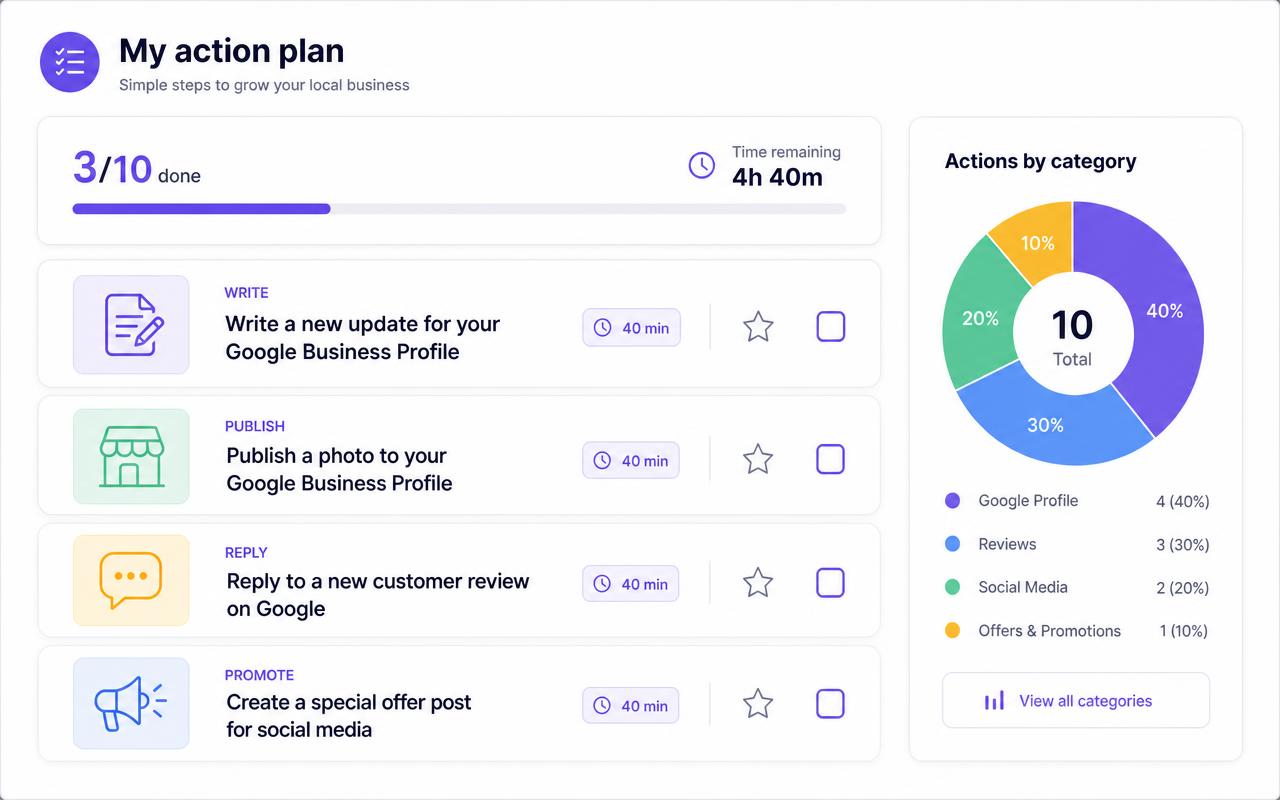
Know exactly where to start on Monday morning.
Move forward in small steps instead of postponing an oversized project.
Track what is done, what is in progress and what you set aside.
A prioritised roadmap that fits your time and progresses with every decision.
Your plan gathers Scan 360° recommendations, suggests the next actions and clearly tracks what is next, followed, done or archived.
Actions are organised from their impact, effort and your quickstart answers. When an action changes status, a new priority can take its place.
Follow, complete or archive each action, add your own tasks and review the how-to before deciding to carry it out.
The weekly plan reflects your role, priority and actual availability instead of imposing an unrealistic task list.
A new action immediately takes its place, picked from your inventory based on your answers and available time.
Yes. Your own actions sit alongside generated ones and follow the same cycle: to follow, done, archived.
A generated action moves to the archived list and stays viewable; an action you created is deleted.
Run a Scan 360° and get your prioritised roadmap, ready to work through.
Analyse my business