Spot your priorities immediately
See your score by pillar, strengths, weak points and priority fixes in a summary designed to move quickly from finding to action.
On a single page: what already attracts customers, what sends them to the competitor next door, and the order in which to fix things.
Analyse my business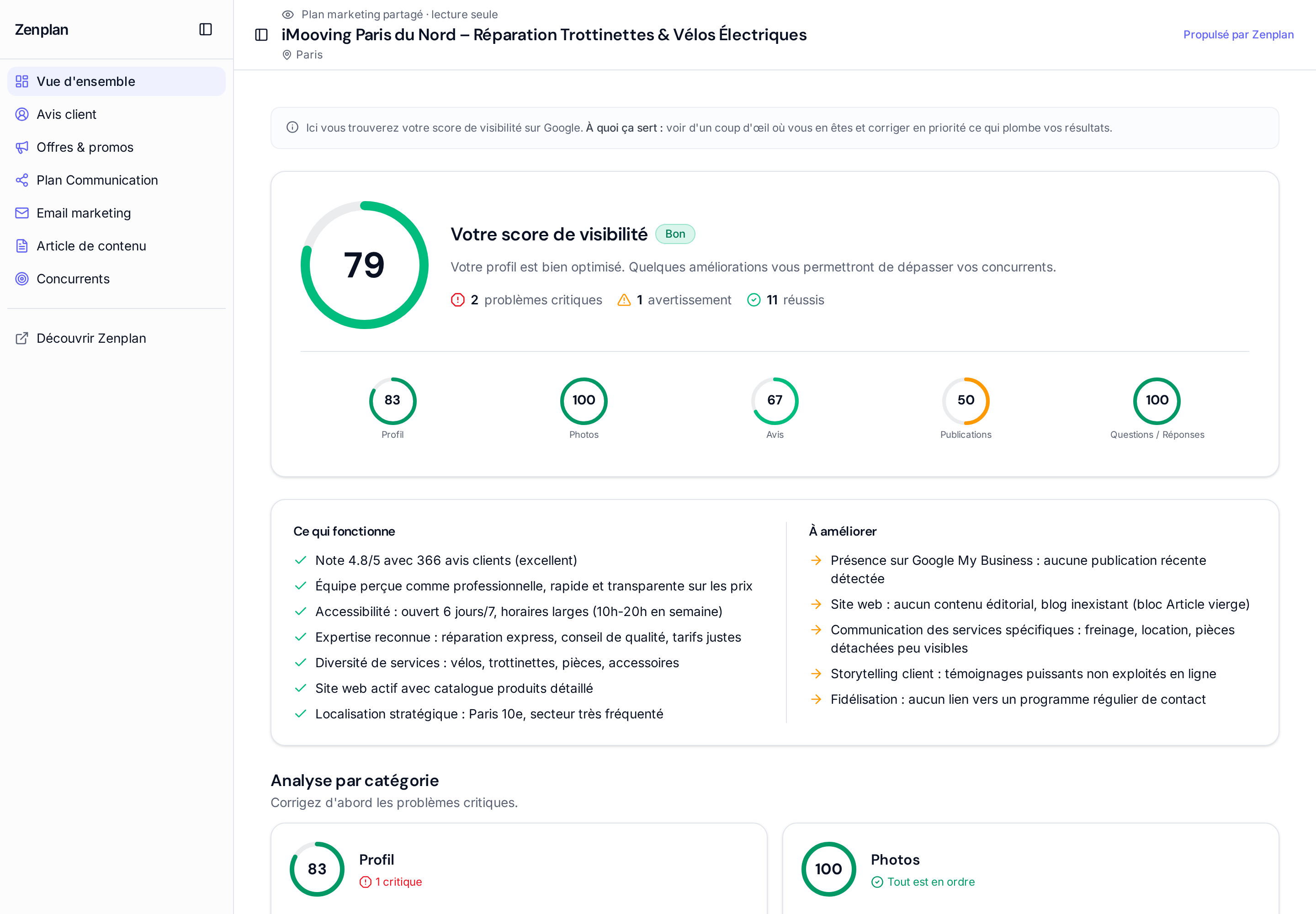
Know in one minute what is wrong with your online presence.
Fix what has the most impact first, not what is most visible.
Track your progress from one scan to the next.
A clear health check that shows where you stand and where your effort matters most.
See your score by pillar, strengths, weak points and priority fixes in a summary designed to move quickly from finding to action.
The overview connects your listing information, hours, services, attributes and photos to the strengths and blind spots it detects.
The analysed elements remain visible, so you can verify flagged information, choose useful changes and measure progress in a new scan.
The health check is built from your business and its public presence, with recommendations matched to your local situation.
From your public data: your Google listing and the information Zenplan collects about your business during the Scan 360°.
Yes. The Competitors tab applies the same grid to your local competitors, so the comparison is direct.
The Overview flags the inconsistencies it detects; you correct them on your Google listing, then relaunch a scan to check the result.
Run a Scan 360° and discover your score, your weak points and your priorities.
Analyse my business